Showing posts with label social skills. Show all posts

Saturday, July 14, 2012

Cute NAO robot performs "Evolution of Dance" and is an active participant in research with young people who have autism spectrum disorders.

I came across a cute video of a NAO robot performing the Evolution of Dance, and as I smiled, I remembered that the robot was used in some research about interventions for young people with autism. 


The technology behind the NAO robot was developed by Aldebaran Robotics, and more details can be found on the company's website, along with the video and links I've provided below. (Aldebaran Robotics is hiring, btw.)


Enjoy the dance performance!

Evolution of Dance by NAO Robot 


DEPCO NAO Robot and Notre Dame Autism Research 


NAO Next: Gen: The New Robot of Aldebaran Robotics


New Robot Helps Autistic Children Interact (UConn) Research with Tim Giffort, CEO of Movia Robotics, and UConn professor Anjana Bhat 


(Above)Bruno Maisonnier of Aldebaran Robots Highlights Therapeutic Uses of the NAO Robot 

RELATED 
Aldebaran Robotics NAO Developer Website Psychologist explores effective treatment options for children with autism disorders 
Susan Guibert, Notre Dame News, 4/16/10 
Robot Speaks the Language of Kids 
Beth Krane, UConn Today, 8/5/10 
Movia Robotics: Systems for Learning, Training, Education and Therapy 
Timothy Gifford and Anjana Bhat on Using Robots to Help Autistic Children 
Rachel Z. Arndt, FastCompany, 4/1/11 
Anjana N. Bhat, University of Connecticut Timothy Gifford 
Social story powerpoint for children with autism who are participate in research at the FUN Lab at Notre Dame (ppt)

Friday, September 16, 2011

MindHabits Online Demo: Useful Serious Game for Social Skills Group Activities


I'd like to share the on-line demo of MindHabit's suite of serious games that I've found useful in my work with teens and young adults who need support in the area of social-emotional skills. 


What I like about the online demo is that it adjusts to the player's responses. This feature made it fun to use during the last few social skills groups I facilitated at work, since it could be played by students with a range of cognitive abilities. I had students take turns playing the game using a SMARTboard, and found that all of the students paid attention to what was going on. In my opinion, using the interactive whiteboard supported "off-the-shoulder" learning among the students who were not at the board. 


MindGames is available for Windows and Macs, and the full version is just $19.99 and provides 100 game levels.  The full version tracks progress and includes four games.


Here's some information from the company's website:  
"Based on social intelligence research conducted at McGill University, these stress busting, confidence boosting games use simple, fun-to-play exercises designed to help players develop and maintain a more positive state of mind." 
 "Based on the principles of social intelligence: Inhibition - uses game mechanics to promote positive habits; Association - connects personal info to positive feedback; Activation - uses personal references"


 MindHabits MindHabits MindHabits MindHabits
 MindHabits
You are playing the MindHabits Trainer online demo. Your progress will not be logged beyond this session.
Copyright © 2008 MindHabits inc. All rights Reserved.

Upcoming: 

Thursday, September 8, 2011

Update, plus iGaze app by Dunedin Multimedia for use during social skills group activities

So what am I up to now?  


I'd like to share with my readers that I've decided to continue in my present position as a school psychologist, while still devoting a portion of my free time to technology. From time-to-time I think deep thoughts about usability, accessibility,  and UX/Interaction related to off-the-desktop interactive multimedia applications running on screens of all sizes.  I'm hoping to create a few multimedia experiments using HTML5 and JavaScript, and explore jQuery if and when I can find the time!  


For the present school year, my main school is a program for students with more significant disabilities, including autism spectrum disorders.  My second school is a magnet high school for technology and the arts,  located on the same campus.  I also consult throughout the district on cases involving students who have suffered traumatic brain injuries, as well as students who have multiple disabilities.  I am thankful that I have a job in a school district that values 21st Century technology.  


I'm looking forward to another technology-rich school year.  I've spent some of the time I usually devote to blogging devoted exploring iPad apps instead.  Since I'm new to the world of iPads, I'm still in discovery mode.  What an adventure!   


There are plenty of educational apps out there, and many of them are suitable for students with special needs.  On the other hand, there is much room for improvement - across all iPad app categories.  Since there is very little research about what makes up a killer app- or suite of apps- for students with special needs, experimenting with  iPad apps is uncharted territory. 


I made the decision to bring my personal iPad2 to work after I discovered a number of apps that I thought would be useful in my work as a school psychologist with students who have special needs, including autism spectrum disorders.  

One of my intervention themes this year focuses on social skills.   This is especially important for students who participate in our schools community-based job training program.  I'm using some content from Unique Learning's transition materials,  as well as on-line activities from Do2Learn's JobTips website, because my aim is to facilitate social skills that will be useful in a variety of job and community settings.   


Although my main technology tool for working with groups is the SMARTBoard,  I've found that using a combination of interactive whiteboard and iPad activities to be especially effective.  I'm paving the way for more role-play activities in the future, and attempting to use technology to my advantage.


This past week, I used the iGaze app, created by Dunedin Multimedia, to help a group of high-school level students practice establishing and maintaining eye gaze, something that is difficult for most of them to demonstrate "in-person".  I was amazed.  Each student was excited to take his or her turn.  Even more amazing?  When each student took a turn, the other students looked at their eyes and faces.  No one rocked or "stimmed".  No one made noises.  I observed several instances of joint attention, much to my delight.   


Below is a video from Dunedin Multimedia's YouTube channel that is similar to what the students viewed during their group activity:
Here is some information from Dunedin Multimedia about the iGaze app:
"Eye contact is important to communication and social development, and yet the impaired ability to make and maintain eye contact is one of the most striking aspects of autism. iGaze is an eye contact simulator that can help to build confidence in using this important means of nonverbal social communication.  The app also contains information on eye contact and eye gaze, with links to relevant research."

During the social skills activity involving the iGaze app,  I used the SMART Board to display a large picture of a boss and a worker standing face to face, making eye contact, engaged in conversation.  The picture served as an anchor to remind the students of pictures and videos they'd previously viewed that illustrated the concept of face-to-face interaction and the importance of establishing eye-contact with others from time-to-time.


I'm hoping I will be able to access the YouTube videos from Dunedin so I can use them on the SMART Board. It will be interesting to see how this plays out!   I'm also planning to take a closer look at Dunedin Multimedia's emotion x app for the iPad.


RELATED 
Screen-shot of iGaze for the iPad Dunedin:
iPad Screenshot 1
SOMEWHAT RELATED
The SMART Table at my school was updated today - I'm looking forward to using it for some group activities, now that it is back in working order and has new applications loaded up and ready to go!


If you are interested in learning more about technology related to students with special needs, be sure to check out Kate Ahern's blog, Teaching Learners with Multiple Special Needs

Kate's post about the features of Unique Learning Systems.


Upcoming:  more about tablets, interview with folks from Stantum, social-skills game-in-progress.....large displays in public spaces update....

Tuesday, July 26, 2011

OPEN SOURCE MULTI-TOUCH SOFTWARE FOR YOUNG PEOPLE WITH AUTISM SPECTRUM DISORDERS- Featured in the WSJ! (Video and links)

Well before the iPad entered the market, researchers such as Dr. Juan Hourcade at the University of Iowa, began to develop multi-touch software to  support young people with autism spectrum disorders and other disabilities.  I've been following this research for a while, and was happy to discover that Dr. Hourcade's work was  recently featured in a recent Wall Street Journal article and video.  


If you are a parent or work with a young person with special needs, you might be interested in learning more about Windows-7 based touch-screen software.  The software shown in the video below, as well as related resources, are available for free on the Open Autism Software website.


RELATED

Article:
Shalini Ramachandran, Wall Street Journal, 7/26/11

Previous Post: Interactive Multi-Touch for Children with Autism Spectrum Disorders:  Research and Apps by Juan Pablo Hourcade, Thomas Hanson, and Natasha Bullock-Rest, University of Iowa 4/26/10


Why is this important to me?   
I work with young people with a range of disabilities, including autism, as a school psychologist.  One of my schools is a program that is technology-rich.  Although we don't have iPads, there is a SMARTBoard in every classroom and in other rooms around the school. We have a Wii,  a few multi-touch all-in-one PC's,  and recently received two Dell multi-touch tablet PCs

I noticed that Dr. Hourcade is looking for people who'd like to create similar apps for the iPad.  I'd be interested in knowing anyone who might be working on this.  I'd like to help in some way, but I don't have a lot of free time to do this on my own. 

I have a new iPad2, and after playing around with a ton of apps, I was inspired to downloaded XCode4 and think about what I could create. I'm a Mac person at heart, but I learned to program within a Windows environment (C#).    I need a way to maintain my programming skills and gradually learn a few new ones. This sort of project would be useful to me in my "day job", too!


SOMEWHAT RELATED
3D Interactive Heart, by 22Miles, on a Dell Latitude Xt2


Tuesday, May 31, 2011

Top 10 All-Time Posts on the Interactive Multimedia Technology Blog

I'm finishing up the last couple weeks of the school year, so I'll have little time to post this week.  I hope you enjoy exploring the following links!


Revised Post 8/1/06: Interactive multimedia for social skills, understanding feelings, relaxation and coping strategies


Teliris Interact TouchTable and TouchWall: Immersive Collaboration & Telepresence; DVE's Holographic Tele-Immersion Room


Games to lift stress away: Flower, flOw, (and Cloud), from thatgamecompany


Power to the Pixel Cross-Media Forum Streaming Live from London Today #PttP


HACKED KINECT MULTITOUCH using libFreenect and libTISCH (via Florian Echtler)


Link to iTV Doctor Rick Howe's post about 2D to 3D, 3D TV data points, and 3D content distributers


Temple Grandin - A gifted visual thinker, who also has autism, featured in HBO movie starring Claire Danes.  Update: Video of Claire Danes' acceptance of a Golden Globe for her performance


Algodoo physic app. for the SMART Board 800 series, supports multi-user interaction!


Wii Just Dance2 and Kinect Dance Central:  UI and Usability Approaches; Challenges for Developoing Accessible Games


Interactive Touch-Screen Technology, Participatory Design, and "Getting It" -Revisited


Thursday, February 24, 2011

Today I hooked up a Wii to the IWB in the school's therapy room. Next - a Kinect?! (Angels are welcome to help us expand the school's "games" programs for students with special needs)


Today, I hooked up our school's Wii to the newly-installed IWB in the therapy room for the first time, and used it during a session for for a social-skills activity with two students who have autism spectrum disorders.  The students helped each other to create their own "Mii" avatars.  I had them play the bowling game, and was impressed how this activity elicited social conversation between the students, with minimal effort on my part.

Most of students in the program at Wolfe are in grades 6-12. They have cognitive, language, and motor delays.  A good number of the students also have autism spectrum disorders. Some have multiple special needs.

We have found that when our students are provided with interactive activities displayed on the large screen of an IWB, they tend to increase their level of attention to their peers and also communicate more with one-another, as well as with the teachers and staff.

By using an IWB for games at school, we are extending the reach of how this technology can be used with students who have more complex special needs.   By providing a means  for our students to learn to play positive games, we help them develop important physical, social, and leisure skills that they can use outside the school setting with non-disabled peers and siblings.  My hunch is that the games will also help promote cognitive/problem solving skills, too.

NOTE:
The funds to purchase the Wii were donated to our school, but did not cover additional games or accessories. We'd like to purchase Rock Band and Wii Fit. We'd also like to expand our program and purchase an Xbox with a Kinect.   An iPad or two would be OK, too : )

If there are any angels out there who'd like to donate funds for our "games" program at Wolfe, please contact me through my Google profile. I will connect you with the appropriate person.

Game designer/developers/researchers/students:
If you are interested in volunteering your efforts to work on a basic cooperative, pro-social game for the Kinect, SMARTTable, or interactive whiteboard, please contact me.


Saturday, November 6, 2010

Interactive iPad Apps for Kids with Autism: Could some of these be transformed for multi-touch tabletop activities?

I came across a great post about interactive iPad apps for special needs:

Ten Apple iPad Apps to Help Children with Autism
Joanne Carter, MacCreate 11/5/10


In this article,  Joanne Carter shares screen shots and detailed descriptions of a variety of iPad apps that support learning and communication skills of young people with autism.  You can find additional information about the apps discussed in the article by visiting the following links: 

Proloquo2go, Story_Builder, "Off we go" book series, Soundtastic, Visual Impact, Living Safely,  Tapspeak Sequence for iPad, iCommunicate for iPad, Autoverbal Talking Soundboard Pro, Is that Gluten Free?, and I Dress for Weather


I think that some of these apps have the potential to be transformed and tweaked for use on multi-touch, multi-user  tables such as the SMARTTable or Microsoft's Surface.  The aim would be to encourage paired and group communication and social skills among children with special needs.  I'll share my thoughts on this topic in a future post.


Saturday, August 21, 2010

Reflections About Interactivity in my Present World

Background:  For those of you who are new to this blog, I work as a school psychologist in a public school district in North Carolina. During the mid 2000's, I took a variety of computer courses, leading up to a decision to work part time while taking graduate courses part-time such as human-computer interaction, games, information visualization, ubiquitous computing, VR, etc. I returned to work full time in 2008, due to the economic downturn.

I continue to maintain my passion for technology that supports natural user interaction, and share my interests on this blog and to a lesser extent, two other blogs.  I initially started blogging because it was a requirement for one of my courses, and found that my blogs served me well as on-line filing cabinets.

Update:  I don't usually post much about my work on this blog, but I have some exciting things to share.

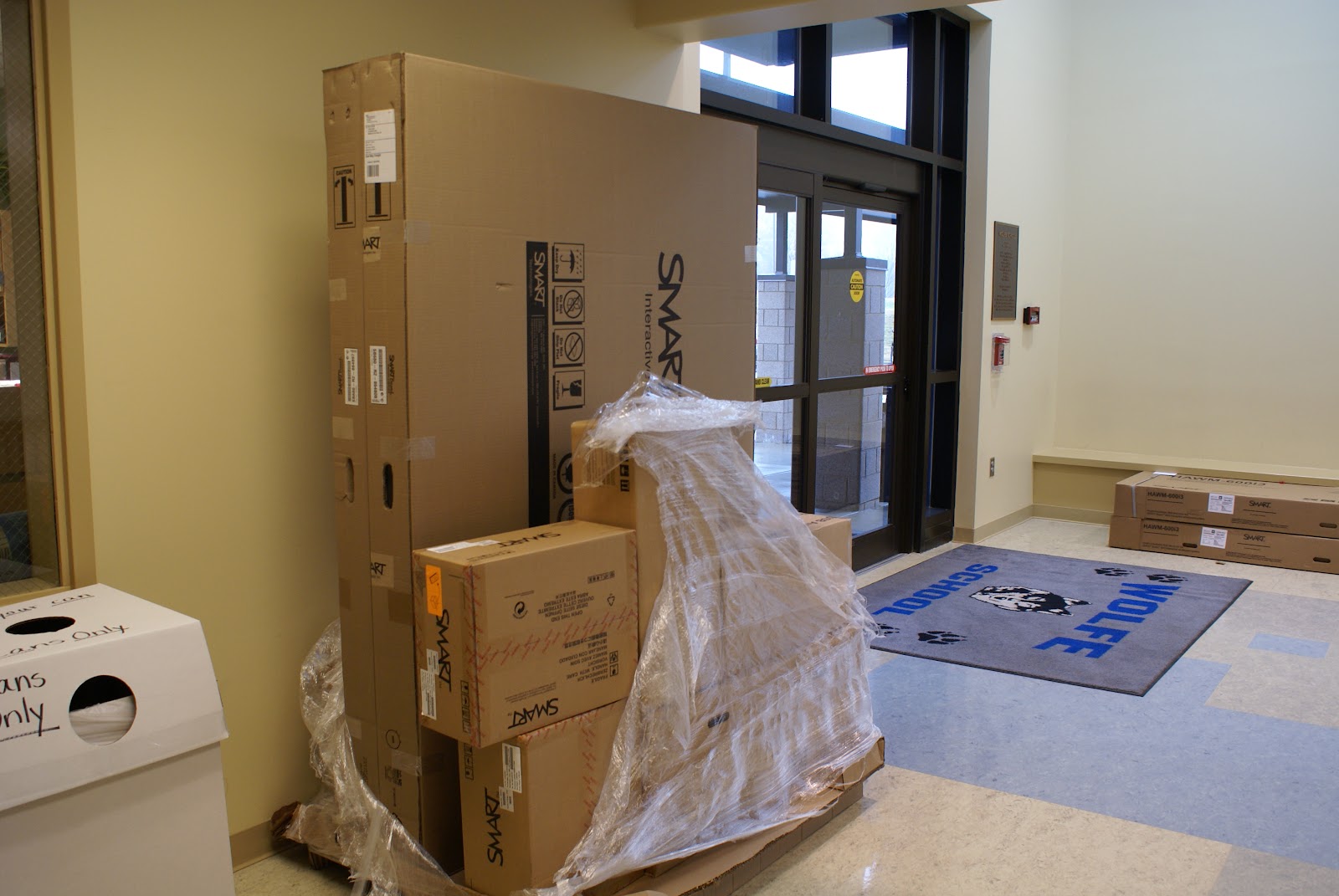
New School Year, New SMARTBoard: I'd like am excited about the upcoming school year because my "home" school, Wolfe, a program that serves mostly teens and young adults up to age 22 who have more severe disabilities (including autism), now has an interactive whiteboard in every classroom.

School started for Wolfe students on July 26th, and three more whiteboards were installed.  One of the new SMARTboards is in the speech and language room, along with a multi-touch SMARTTable the school received last April, one is in the Art/Work Adjustment room, and one is in the room I use with small groups of students, which is used for music one day a week.


Although I have used interactive whiteboards in my work with students for several years, this is the first year that I have had one available to me most of the time in a school. Since most of the teachers received their IWBs over the past year, there is a pressing need to figure out what works, why it works, and how to create useful interactive content that is appropriate for the needs of students who have severe or multiple disabilities. We really can't wait.  

Why is this important to me?

Observations of positive changes:
Students who previously had limited interest in applications on the computer, or a limited attention span for such activities, demonstrate a high degree of interest and engagement with the activities on the IWBs we've tried so far.  Many students who do not attend to learning materials, or only for brief periods of time, actively look at the IWB screen and even interacting with it, and smile.   Some students who rarely-or never- speak sometimes vocalize more often during IWB activities!   Some are making connections between learning materials and what they interact with on the screen, something that simply did not happen previously.  Some students who rarely established eye contact with others or demonstrated joint attention do so during IWB activities, something I discussed in a post on the TechPsych blog.

Technology and my role as a school psychologist:
Designing effective interventions is part of my job as a school psychologist, and mixing interactive whiteboards and interventions is fairly uncharted territory.  I know that there are probably a few other school psychologists, counselors, social workers, and speech/language therapists out there who are wondering what to make of this technology and the students they serve directly, or indirectly through consultation.  There isn't much literature about this topic, so it is difficult to know what is truly "evidence based".

We are in the process of discovery. Within a school that has an IWB in every classroom, serving students with the most complex needs within the school district,  how can I best follow professional school psychology practices(pdf) regarding the provision of direct and indirect services. Some of these expectations are listed below:

"School psychologists promote the development and maintenance of learning environments that support resilience and academic growth, promote high rates of academic engaged time, and reduce negative influences on learning and behavior."

"School psychologists use information and assistive technology resources to enhance students’ cognitive and academic skills."

"School psychologists work with other school personnel to develop, implement, and evaluate effective interventions for increasing the amount of time students are engaged in learning."

"School psychologists facilitate design and delivery of curricula to help students develop effective behaviors, such as self-regulation and self-monitoring, planning/ organization, empathy, and healthy decision-making."

Working towards solutions:
I work closely with my colleague Kelly Cross, a speech and language therapist who serves Wolfe school and two classrooms of students with severe autism at a "regular" elementary school. Kelly also serves as the assistive technology and augmentative communication consultant for our school district.  She's used interactive applications and web resources for many years along with more traditional "hands-on" materials,  but like me, has had limited access to IWB's until recently.  She now has a SMARTboard in her room, along with the portable multi-touch SMARTTable Wolfe received last April.  We work with many of the same students, so with the influx of IWBs in our school, we've stepped up our collaboration.

One of Kelly's challenges is to figure out ways for teachers to integrate assistive technology and/or augmentative communication systems into their work with students during activities that involve interactive whiteboards.   Most of the research the area of assistive technology/aug com focuses on the use of technology to access applications as they are displayed on laptops or computer monitors, or factors related to the use of individual communication devices. The vSked project, led by Dr. Gillian Hayes at the University of California at Irvine, is on the right track in that it incorporates the use of a large interactive display that was used with students with autism, along with smaller hand-held communication systems, which I've discussed in a previous post.


vSked_1 575x320
vSKED in action

Workshop Presentation
This past week, Kelly and I presented at a workshop held in the Arlington VA school district that focused on the use of interactive whiteboards and related applications and web resources with students with special needs.  We shared some of the exciting things we've noticed with our students and shared "before and after" examples.  Included in the presentation were some of the video clips I quickly put together during the first days of school that had an impressive positive impact with students when they were used during interactive whiteboard activities. (Some of these video clips can be found in a previous post: Video clips that help students with autism learn and feel calm at the same time!)

During the workshop, we discussed a few guiding principals, such as the "least dangerous assumption" and the concept of Universal Design for Learning.   We also provided a sampling of resources previously used on the "small screen" appear to powerful when used with students interacting on the larger whiteboard screens.  Below are a few of the resources we shared:

Clicker5 is an application to support reading and writing that provides a natural voice output, and child-friendly word processor. It works well on interactive whitboards It can incorporate several communication symbol systems. It is a good tool for informal assessment with students with communication and other related needs.


Sensory World provides an intuitive navigation system for students to use as they explore various areas of a house and engage in learning and related activities. The site map for all of the areas of the house, as well as the activities, is graphical.


We shared resources from the National Gallery of Art's Kids Zone, a great website that offers plenty of interactive content:


Teachers who want a limited browsing environment for their students the Zac Browser is great for use on IWBs and the new large all-in-one touch screen displays:
Zac Browser

Another website that is good for visual-based browsing is Symbol World:

"The intention is that symbol readers, teachers and carers will contribute, and we are delighted at the number of contributors that have already sent us their work"

We shared a recent find, Taptu rthat can be used on an IWB.  Although Taptu focuses on the mobile touchable web, accessed through smartphones with internet access, it provides links to a wide range of websites designed with intuitive touch interaction in mind, perfect for students with special needs.  In many cases, Taptu web navigation resources work fine on the larger screen of the IWB.  The advantage is that a icon/visual based touch navigation system supports students who can't type and also those who have very limited reading skills.


Sports Navigation for Taptu

Below is a slideshow about the touchable web:
Taptu: Virtual Roundtable


Update: SMARTTable
At Wolfe, we'd like to create a conversation wheel with related activities for the SMARTTable that co-ordinate with SMARTBoard activities.  We'll probably experiment with the conversation wheel concept on the SMARTboard first.


Considerations:
One thing we've learned over the past few months is that it is bit more complicated to create content and activities for the SMARTTable than for the SMARTBoard notebook or Promethean flipchart.   We hope to have it customized to support scaffolded, customized classroom activities for students with special needs, but it might take more time than we had anticipated.  The school's immediate need is for touchable interactive content for all of the classroom IWB's, suitable for our students.

Complications:
Programming for the SMARTTable, for those who have 64-bit computers, requires Windows 7, Visual Studio 2008, and Expression Blend 3.   My HP Touchsmart, my home computer, is 64 bit, but runs Vista.  My school-issued laptop runs Windows XP and is also 64-bit.  To upgrade it, I will have to send it to the tech department for several weeks.   It will be slow-going, since I have to plan for my day-to-day activities and evaluations with students first.

Possible SMARTTable Solutions:
I'm hoping that some students from UNC-Charlotte might want to try their hand at multi-touch programming and help us out!  We'd welcome volunteers from other universities as well.   Wolfe's principal, Mary Jo Breckenridge, is very supportive of the use of innovative technologies with students with special needs, and would figure out a way to make a collaboration happen.


Upcoming Interactive Multimedia Technology Posts
I have about 6 posts in draft form about interesting interactive technologies, research, people, and companies involved with multi-touch, interactive multimedia, and natural user interface/interaction applications. I'll get them up as soon as possible.

One post is about 3M Touch Systems. Another is about an interesting multi-touch start-up company, Osmosis.  I revisited Ballantyne Village to update the use of interactive touch screen technology, something I discussed in detail, along with photos and video clips, in a 2008 post, Technology Supported Shopping and Entertainment User Experience at Ballantyne Village:  "A" for concept, "D" for touch-screen usability".   I got some inside scoop about the rationale behind the changes at the upscale center from a seasoned owner of a high-end audio-visual store I interviewed about 3D TV.   I have some interesting information about current research in "glasses-less" 3D displays. Sharp will be coming out with a 3D cell-phone camera AND glasses-less cell-phone display in the not-to-distant future.  

I'm been preparing for posts that highlight a few of my favorite blogs. Until then, take a look at the recent posts on Tracy Boyer's Innovative Interactivity blog, and also InteractiveTV Today.

RELATED & SOMEWHAT RELATED
"The AAC-RERC conducts a comprehensive program of research, development, training, and dissemination activities that address the NIDRR priorities and seek to improve technologies for individuals who rely on augmentative and alternative communication (AAC) technologies. The mission of the AAC-RERC is to assist people who rely on augmentative and alternative communication to achieve their goals by advancing and promoting AAC technologies and supporting the individuals who use, manufacture, and recommend them."


Janet Light, Kathy Drager, Penn State University


Jeff Higginbotham's Bibliography:  Viewing AAC Through Authentic Social Interactions (pdf)

ProLoquo2Go (iPhone/iPod Touch/iPad communication system)


Also posted on the TechPsych blog

Tuesday, August 3, 2010

Back to school: Video clips that help students with autism learn and feel calm at the same time!

One of the schools I serve as a school psychologist has a number of students with severe autism.  Over the past year or so, each classroom was outfitted with a new interactive white board (IWB). We've found that multimedia content displayed on these large screens is much more engaging than what is viewed on computers with much smaller displays.
The exciting news is that some of the students who have minimal interest in computers pay a great deal of attention to activities on the IWBs.  Students who have self-stimulatory or repetitive behaviors that interfere with their ability to engage in traditional activities don't seem to exhibit these patterns nearly as much when the focus is on the IWB.   In my opinion, IWBs are great tools for reaching and teaching young people who have autism spectrum disorders!

I'm in the process of creating a variety of short video clips that teachers can embed in learning activities that also provide a way for students to reduce their levels of anxiety, agitation, and/or repetitive behaviors.

The following videos are my first experiments, and are not as polished as I'd like.  They are best viewed on a large-screen display or IWB, set to high definition.  Although various students have viewed these videos a few times this week, they were a great hit. In some cases, we found it useful to loop the video, especially for students who require repetition of content.

The videos were shot using a small hand-held Panasonic HD camcorder, and quickly edited in iMovie. The music was either taken from the iMovie music library or created using riffs in Garage Band, an Apple iLife product.

Enjoy!

Lily Pond and Music

In this video, I used a few subtitles to direct the viewer to points of interest, such as the little grasshopper hiding in the pink lily and a dragonfly, which appears near the end of the video.

Butterflies and Flowers Set to Music

I set this version to piano music for a student who listens to piano music as a coping strategy. I plan to create another version with other genres of music. This particular score was created with piano riffs from Garage Band.

Up Close at the Charleston Aquarium - with relaxing music


Even the most inattentive students paid maximum to this video when it was looped!  I think they liked the variety of sea life, especially the turtles.  Tip:  If you plan to capture video at an aquarium, plan to visit at a time where there are few visitors!

I can't wait to take my video camera to the Atlanta aquarium.


Minnows and Music


The minnows swimming around in the murky green tank are a little boring, but things get slightly more exciting when the bait-shop owner feeds them. The music makes up for what the video lacks. The students didn't mind at all.

Jellyfish at the Discovery Place Aquarium, Charlotte, NC - with music

I'd like to visit Discovery Place at a less-crowded time and re-capture the jellyfish in action from a better vantage point.
UPDATE
I'd like to see if there are similar videos set to music by William Orbit.
I found this video on YouTube of William Orbit's "Sea Green", set to video created by a fan:


Below is "Surfin", great for chilling - needs some video...


(Cross-posted on the TechPsych blog)