Showing posts with label special needs. Show all posts

Sunday, July 15, 2012

60-Minutes Segment about iPads and Autism; James Winchester's Tech and Special Needs Blog

Tonight's episode of 60 Minutes included a repeat of a segment about the use of iPad apps with young people who have autism spectrum disorders.   I missed it, but I found it on the CBS website. 


Along with the segment, I found several related videos and transcripts. If you have a moment, take the time to look!


Apps for Autism (60 Minutes Video)

RELATED
Interview of Temple Grandin about autism
Temple Grandin's Unique Brain
SEN Classroom: Ideas and Tech in a SEN Classroom
(James Winchester's blog)
James is a special educator who has a wealth of  "how-to" knowledge about technology and special needs. If you are interested, take a look at his blog's archive. He writes about iPad apps,  the use of the Kinect with students at his school, and more.  He specializes in a Life Skills curriculum, which focuses on social, communication, and vocational skills that the students will need as they become members of the community.  


I recently wrote a post about Po-Motion, an interactive tech start-up based in Winnipeg, Canada, and learned that the system is used as an interactive wall display in a sensory room at a school for children who have severe disabilities, including autism. More information about the use of this system, including a video, can be found on James Winchester's blog post, Po-Motion Interactive Wall in the Sensory Room.  


Comment:

In my work as a school psychologist, I use technology with students who have severe autism several days a week, along with my colleagues.  I plan to share more information on this topic from time-to-time in future posts. 


I am putting together a web page with resources about autism and technology. My resources include descriptions of systems and applications, videos, and presentation slides from a variety of researchers, developers, and practitioners.  Suggestions are welcome!


Thursday, September 8, 2011

Update, plus iGaze app by Dunedin Multimedia for use during social skills group activities

So what am I up to now?  


I'd like to share with my readers that I've decided to continue in my present position as a school psychologist, while still devoting a portion of my free time to technology. From time-to-time I think deep thoughts about usability, accessibility,  and UX/Interaction related to off-the-desktop interactive multimedia applications running on screens of all sizes.  I'm hoping to create a few multimedia experiments using HTML5 and JavaScript, and explore jQuery if and when I can find the time!  


For the present school year, my main school is a program for students with more significant disabilities, including autism spectrum disorders.  My second school is a magnet high school for technology and the arts,  located on the same campus.  I also consult throughout the district on cases involving students who have suffered traumatic brain injuries, as well as students who have multiple disabilities.  I am thankful that I have a job in a school district that values 21st Century technology.  


I'm looking forward to another technology-rich school year.  I've spent some of the time I usually devote to blogging devoted exploring iPad apps instead.  Since I'm new to the world of iPads, I'm still in discovery mode.  What an adventure!   


There are plenty of educational apps out there, and many of them are suitable for students with special needs.  On the other hand, there is much room for improvement - across all iPad app categories.  Since there is very little research about what makes up a killer app- or suite of apps- for students with special needs, experimenting with  iPad apps is uncharted territory. 


I made the decision to bring my personal iPad2 to work after I discovered a number of apps that I thought would be useful in my work as a school psychologist with students who have special needs, including autism spectrum disorders.  

One of my intervention themes this year focuses on social skills.   This is especially important for students who participate in our schools community-based job training program.  I'm using some content from Unique Learning's transition materials,  as well as on-line activities from Do2Learn's JobTips website, because my aim is to facilitate social skills that will be useful in a variety of job and community settings.   


Although my main technology tool for working with groups is the SMARTBoard,  I've found that using a combination of interactive whiteboard and iPad activities to be especially effective.  I'm paving the way for more role-play activities in the future, and attempting to use technology to my advantage.


This past week, I used the iGaze app, created by Dunedin Multimedia, to help a group of high-school level students practice establishing and maintaining eye gaze, something that is difficult for most of them to demonstrate "in-person".  I was amazed.  Each student was excited to take his or her turn.  Even more amazing?  When each student took a turn, the other students looked at their eyes and faces.  No one rocked or "stimmed".  No one made noises.  I observed several instances of joint attention, much to my delight.   


Below is a video from Dunedin Multimedia's YouTube channel that is similar to what the students viewed during their group activity:
Here is some information from Dunedin Multimedia about the iGaze app:
"Eye contact is important to communication and social development, and yet the impaired ability to make and maintain eye contact is one of the most striking aspects of autism. iGaze is an eye contact simulator that can help to build confidence in using this important means of nonverbal social communication.  The app also contains information on eye contact and eye gaze, with links to relevant research."

During the social skills activity involving the iGaze app,  I used the SMART Board to display a large picture of a boss and a worker standing face to face, making eye contact, engaged in conversation.  The picture served as an anchor to remind the students of pictures and videos they'd previously viewed that illustrated the concept of face-to-face interaction and the importance of establishing eye-contact with others from time-to-time.


I'm hoping I will be able to access the YouTube videos from Dunedin so I can use them on the SMART Board. It will be interesting to see how this plays out!   I'm also planning to take a closer look at Dunedin Multimedia's emotion x app for the iPad.


RELATED 
Screen-shot of iGaze for the iPad Dunedin:
iPad Screenshot 1
SOMEWHAT RELATED
The SMART Table at my school was updated today - I'm looking forward to using it for some group activities, now that it is back in working order and has new applications loaded up and ready to go!


If you are interested in learning more about technology related to students with special needs, be sure to check out Kate Ahern's blog, Teaching Learners with Multiple Special Needs

Kate's post about the features of Unique Learning Systems.


Upcoming:  more about tablets, interview with folks from Stantum, social-skills game-in-progress.....large displays in public spaces update....

Thursday, August 18, 2011

AAC Technology at Camp (augmentative and alternative communication) -via Kate Ahern

The following video clip is an awesome example of how AAC technology (augmentative and alternative communication) can be integrated into a range of activities- learning, social, leisure, and creative, when everyone makes an effort to make it work- and not give up.  Thanks to Kate Ahern for sharing this! (Cross-posted on the TechPsych blog.)
The song in the background is "Talk", by Coldplay, a perfect fit for the theme. 
 
"This year's AAC Summer Camp students taught us a lot. This video highlights some important things to think about when it comes to augmentative and alternative communication." -Communicare LLC
RELATED 
Let's Go To AAC Camp! (Includes a list of AAC camps around the U.S.)

Communicare: Speech-language pathologist specializing in Augmentative and Alternative Communication (AAC) Communicare's resource page

Lyrics to Coldplay's "Talk"

COMMENT
Most of the devices highlighted in the video are very expensive and are difficult to integrate seamlessly with other technologies that are emerging in classrooms- and in homes.  I am in the process of writing a post (or two) about this topic. The ultimate goal of AAC technology is to provide people with a means to communicate more seamlessly with people beyond the "sheltered" circle of therapists, special educators, parents and teachers.

Interactive technologists, from a range of disciplines, can help make this happen.

Tuesday, July 26, 2011

Eric Sailer's Lists of iPad, iPod, and iPhone Apps for (special) education


Update: Here is a link to Eric Sailer's resources on Scribd:
http://www.scribd.com/doc/24470331/iPhone-iPad-and-iPod-touch-Apps-for-Special-Education


Update:  I think Eric Sailer's blog has moved.  For now, here is a link to his website:
http://ericsailers.com/iresources.html

Eric Sailers is a speech/language pathologist who has an extensive amount of experience using "apps" in educational settings.  He's compiled a great list of apps and related resources on his blog:  http://slpsharing.com/app-resources/

Eric spends some of his time giving presentations about the use of Apple's mobile devices in education. He's co-created a few apps, too!

OPEN SOURCE MULTI-TOUCH SOFTWARE FOR YOUNG PEOPLE WITH AUTISM SPECTRUM DISORDERS- Featured in the WSJ! (Video and links)

Well before the iPad entered the market, researchers such as Dr. Juan Hourcade at the University of Iowa, began to develop multi-touch software to  support young people with autism spectrum disorders and other disabilities.  I've been following this research for a while, and was happy to discover that Dr. Hourcade's work was  recently featured in a recent Wall Street Journal article and video.  


If you are a parent or work with a young person with special needs, you might be interested in learning more about Windows-7 based touch-screen software.  The software shown in the video below, as well as related resources, are available for free on the Open Autism Software website.


RELATED

Article:
Shalini Ramachandran, Wall Street Journal, 7/26/11

Previous Post: Interactive Multi-Touch for Children with Autism Spectrum Disorders:  Research and Apps by Juan Pablo Hourcade, Thomas Hanson, and Natasha Bullock-Rest, University of Iowa 4/26/10


Why is this important to me?   
I work with young people with a range of disabilities, including autism, as a school psychologist.  One of my schools is a program that is technology-rich.  Although we don't have iPads, there is a SMARTBoard in every classroom and in other rooms around the school. We have a Wii,  a few multi-touch all-in-one PC's,  and recently received two Dell multi-touch tablet PCs

I noticed that Dr. Hourcade is looking for people who'd like to create similar apps for the iPad.  I'd be interested in knowing anyone who might be working on this.  I'd like to help in some way, but I don't have a lot of free time to do this on my own. 

I have a new iPad2, and after playing around with a ton of apps, I was inspired to downloaded XCode4 and think about what I could create. I'm a Mac person at heart, but I learned to program within a Windows environment (C#).    I need a way to maintain my programming skills and gradually learn a few new ones. This sort of project would be useful to me in my "day job", too!


SOMEWHAT RELATED
3D Interactive Heart, by 22Miles, on a Dell Latitude Xt2


Tuesday, May 24, 2011

StoryVisit: Read and enjoy web-based stories while video chatting with your child or grandchild over the miles...

I promised my colleagues at Wolfe School that I'd share something new and cool upon my return from a recent CHI 2011* conference.  

StoryVisit was one of the "take-aways" I brought back.  

StoryVisit
 
is a web-based application developed to promote interaction between grandparents  (or parents) and children who are remotely located.  It is available on-line for free as part of a collaborative project between researchers from the Nokia Research Center, the Sesame Workshop, the University of Arkansas, and the MIT Media Lab


As soon as I saw the StoryVisit demonstration, I knew that the concept had potential to be useful to promote literacy and social communication among students with special needs, such as those who have autism spectrum disorders. (My story of how I tweaked StoryVisit for use with students is located near the end of this post.)

Credit: Nokia Research


One of the good features of the StoryVisit website is that it supports dialogic reading between the adult and child, by providing a Sesame Street character embedded in the story to help guide the process. 


According to Grover J. Whitehurst,  this method can support language development in young children.  In dialogic reading, the adult who reads with a child helps the child take a more active role in the process by following what is known as "PEER":    Prompting the child to talk about the story, evaluating the child's response, expanding the response by rephrasing and elaborating on what the child has said, and repeating the prompt to assess what the child has learned or grasped from the story.  This can include a discussion about the pictures that accompany the story, and questions that guide the child to think about the relationships between the characters, or prompts that help the child make predictions and draw inferences.


To get an understanding of the StoryVisit application, first take a look at how it works with adults and children - below are two related videos and an abstract from the StoryVisit presentation at CHI 2011 and a couple of related videos:


Here is short preview:


Abstract
"StoryVisit allows children and long-distance adults to experience a sense of togetherness by reading children's story books together over a distance. StoryVisit combines video conferencing and connected books: remote grown-up and child readers can see and hear each other, and can also see and control the same e-book. We report on research with 61 families - over 200 users including parents, children and long-distance readers - who used StoryVisit in their homes with a long-distance reader for at least one reading session. In addition, we report qualitative findings regarding nineteen of the families who participated in telephone interviews and four families who were monitored and interviewed by researchers at home. Results show that connected e-book video chat sessions last about five times as long as the typical video chats reported in previous research on families with young children. Moreover, the addition of an animated character increased session lengths by another 50%. StoryVisit usage peaked for families with three year olds, showing that sustained distance interactions with very young children are possible if communication technologies incorporate joint activities that engage children and adults."

-Raffle, H., Revelle, G., Mori, K., Ballagas, R., Buza, K., Horli, H., Kaye, J., Cook, K., Freed, N., Go, J., Spasojevic, M. Hello, is grandma there? let's read! StoryVisit: family video chat and connected e-books CHI '11 Proceedings of the 2011 annual conference on Human factors in computing, ACM New York, NY, USA

Here's how I tweaked Storyvisit to work in a school setting:


On my first morning back at Wolfe, I decided to use StoryVisit with two high school-level students who have autism and cognitive delays.   My goal was to familiarize the students with Storyvisit so they could use it to read stories to younger elementary-level students with autism who are in a self-contained classroom.  I went to the Storyvisit website and registered Wolfe school as the "Wolfe family", using some of the teacher's email addresses as "family members".


During my session with the two young men, I placed them far apart in a large therapy room where my office is located.  Each student used earphones, since I was aware that there might be an audio feedback problem (which will be fixed, according to the Storyvisit folks).  Since the two students were not too far apart, I simply ran back and forth between them to make sure things were going OK and prompt them if needed.

I coached one student to play the role of the reader (grandparent) and the other to play the role of a younger child.  We got this accomplished successfully within our 1/2 hour session, an amazing feat, given the nature of the students' disabilities. They especially liked the video conferencing part, something that they've done at school in the past.  They communicated with each other better through this medium than in person, as the required less prompting.

The two young men were so excited about this process that after they returned to class, they suggested to their teacher that they wanted to practice with the application with their classmates.  They wanted to use Storyvisit to read to the younger students as soon as possible.  

The teacher, without much prior knowledge about the application, was able to set it up quickly.  She used the application during her morning group reading activity, displaying the Storyvisit website on a SMARTBoard.  She was impressed with the "Block Party" story - especially the great recipes included at the end of the story.   

The teacher mentioned that the recipes could be used to create snacks for a "block party" between the two classes after the StoryBook session.  The students could use the recipes to create shopping lists for a community outing to a local supermarket, and then prepared during Activities of Daily Living class (the classroom is equipped with a kitchen.)    

To see how the elementary-level students would respond to the Storyvisit website, I visited the classroom and demonstrated the Block Party book to the students using a SMARTboard. I used "Grandparent" mode, without the webcam, since I was with the students.  As I went through the story, the teacher mentioned that the webcam feature would be ideal for including students who use sign language in Storyvisit activities. (She happens to be the mother of daughters who have hearing impairments.)


RELATED
Try StoryVisit by signing up at Storyvisit.org
NRC (Nokia Research Center) launches Story Visit pilot in association with Sesame Workshop
Intervention: Dialogic Reading (2/8/07), US Department of Education, Institute of Education Sciences (What Works Clearinghouse)
Dialogic Reading Video SeriesNCLD Editorial Staff, 11/1/09
Dialogic Reading: An Effective Way to Read to Preschoolers (Grover J. Whitehurst -1992, Reading Rockets Archive)
Hayes Raffle's website
Family Story Play (First version of StoryVisit)
Family Story Play pdf (CHI 2010 presentation)

SOMEWHAT RELATED
Since the Storyvisit activity was so positive with my students, I decided to dig a little deeper.  I use video quite a bit with students with autism spectrum disorders, and work with students to establish joint-attention skills and behaviors.  My hunch is that this is an area that warrants further exploration, especially for children and teens with autism spectrum disorders, their classmates, peers, and families.


The Co-Viewing Connection: "A blog for grown-ups about using media and technology with kids"
The New Coviewing: "Promoting Children's Learning Through Joint Media Engagement"


Interesting:
Game On.... Girls:  Associations Between Co-playing Video Games and Adolescent Behavioral and Family Outcomes (Sarah M. Coyne, Laura M. Padilla-Walker, Laura Stocdale, Randal D. Day, Brigham Young, School of Family Life, in Journal of Adolescent Health, 2/3/11)

Why this is important:
My grandson, "reading" at 6 months old:


My mom and my grandson reading together:


*"The ACM  Conference on Human Factors in Computing Systems is the premier international conference of human-computer interaction. CHI 2011 focuses on leveraging our diversity and connecting people, cultures, technologies, experiences, and ideas."


Cross-posted on the TechPsych blog.

Saturday, January 15, 2011

Gem of a video clip: Joshua Tree Under the Milky Way

I'm always on the lookout for videos that work nicely on interactive whiteboards for students with multiple special needs, including autism.  The video below is a time-lapse of the Perseid Meteor Shower and the galactic core of the Milky Way, from Joshua Tree National Park.  It was produced by Henry Jun Wah Lee, of Evosia Studios.

Joshua Tree Under the Milky Way from Henry Jun Wah Lee on Vimeo.


Teachers of studets with special needs might want to incorporate this short video clip into lessons, (in this case, science). It provides a soothing touch through the use of music, and looks fantastic on a large interactive whiteboard. The video isn't too boring if it is looped, making it great for students who require repetition of content.

RELATED
Under the Milky Way in Joshua Tree National Park

Tuesday, November 30, 2010

TuioKinect, by Martin Kaltenbrunner: "A simple TUIO hand gesture tracker for Kinect"

More Kinect from Martin Kaltenbrunner:


Martin Kaltenbrunner's description of TuioKinect:
"TuioKinect tracks simple hand gestures using the Kinect controller and sends control data based on the TUIO protocol. This allows the rapid creation of gesture enabled applications with any platform or environment that supports TUIO tuio.org/​ You can download the application from: code.google.com/​p/​tuiokinect/​ Music: Jabon Jabon by El Club de los Astronautas (Institut Fatima)"


I've played around with Tuio and OpenFrameworks, but it has been a while.  I can't wait until I have time to dig into this with a Kinect. I think this has great potential for supporting learning and communication among students with special needs.

RELATED/SOMEWHAT RELATED
TuioKinect:  TUIO Hand tracker for Kinect
Martin Kaltenbrenner, Tangible Interaction Frameworks 11/27/10
Therenect: Theremin for the Kinect! (via Marten Kaltenbrenner)
Xbox Kinect Interactive Puppet Prototype, from Theo Watson and Emily Bobeille, creators of Funky Forest
Hacked Kinect Multitouch using libFreenect and libTISCH (via Florian Echtler)

Saturday, November 6, 2010

Interactive iPad Apps for Kids with Autism: Could some of these be transformed for multi-touch tabletop activities?

I came across a great post about interactive iPad apps for special needs:

Ten Apple iPad Apps to Help Children with Autism
Joanne Carter, MacCreate 11/5/10


In this article,  Joanne Carter shares screen shots and detailed descriptions of a variety of iPad apps that support learning and communication skills of young people with autism.  You can find additional information about the apps discussed in the article by visiting the following links: 

Proloquo2go, Story_Builder, "Off we go" book series, Soundtastic, Visual Impact, Living Safely,  Tapspeak Sequence for iPad, iCommunicate for iPad, Autoverbal Talking Soundboard Pro, Is that Gluten Free?, and I Dress for Weather


I think that some of these apps have the potential to be transformed and tweaked for use on multi-touch, multi-user  tables such as the SMARTTable or Microsoft's Surface.  The aim would be to encourage paired and group communication and social skills among children with special needs.  I'll share my thoughts on this topic in a future post.


Wednesday, September 8, 2010

iPad Apps: Supporting Communication for Young People with Autism (& Links to Moms with Apps)

Have you ever watched a kid pick up an iPad for the first time and just go with it? 


Some parents have found that the same is true for their of children who have autism.  The  iPad is a great way to support learning and communication in that it is user-friendly and easy for children- and parents- to understand. 


Here are two videos that were shared with my by Liz Ditz,  author of the "I Speak of Dreams" blog.  The first video is of a boy with autism. The second video is of his little sister, interacting with the iPad to watch a "home-made" social story about a family trip to a coffee shop, created in the "Stories to Learn" app.


YOUTUBE INFO:

"Another too-cool app for his iPad, this one all about writing as well as spelling (http://itunes.apple.com/app/iwritewords-handwriting-game/id307025309?mt=8). For each letter in the word, the app says the letter, has him trace it in super-easy guided steps, and his written letter replaces the original letter in the word (at top of screen). When he finishes, the word appears in his handwriting. The program then spells it and pronounces it, displays a kid's illustration of the word -- and Leo gets to shake the original letters into a hole in the corner of the screen. LOVE IT."

STORIES TO LEARN


YOUTUBE INFO:
"Our family (and a friend) worked together to make this social story about visiting our local coffee shop for my son with autism. We used Stories2Learn (http://itunes.apple.com/us/app/stories2learn/id348576875?mt=8), on our iPad. It was so easy! And he loves it. In fact he loves it so much I had to have his sister demo it, as he loves to play the voiceovers over and over again. :)"


RESOURCES
Moms with Apps
Moms with Apps for Special Needs
Moms with Apps:  Characteristics of great apps for kids with autism


    Saturday, August 21, 2010

    Reflections About Interactivity in my Present World

    Background:  For those of you who are new to this blog, I work as a school psychologist in a public school district in North Carolina. During the mid 2000's, I took a variety of computer courses, leading up to a decision to work part time while taking graduate courses part-time such as human-computer interaction, games, information visualization, ubiquitous computing, VR, etc. I returned to work full time in 2008, due to the economic downturn.

    I continue to maintain my passion for technology that supports natural user interaction, and share my interests on this blog and to a lesser extent, two other blogs.  I initially started blogging because it was a requirement for one of my courses, and found that my blogs served me well as on-line filing cabinets.

    Update:  I don't usually post much about my work on this blog, but I have some exciting things to share.

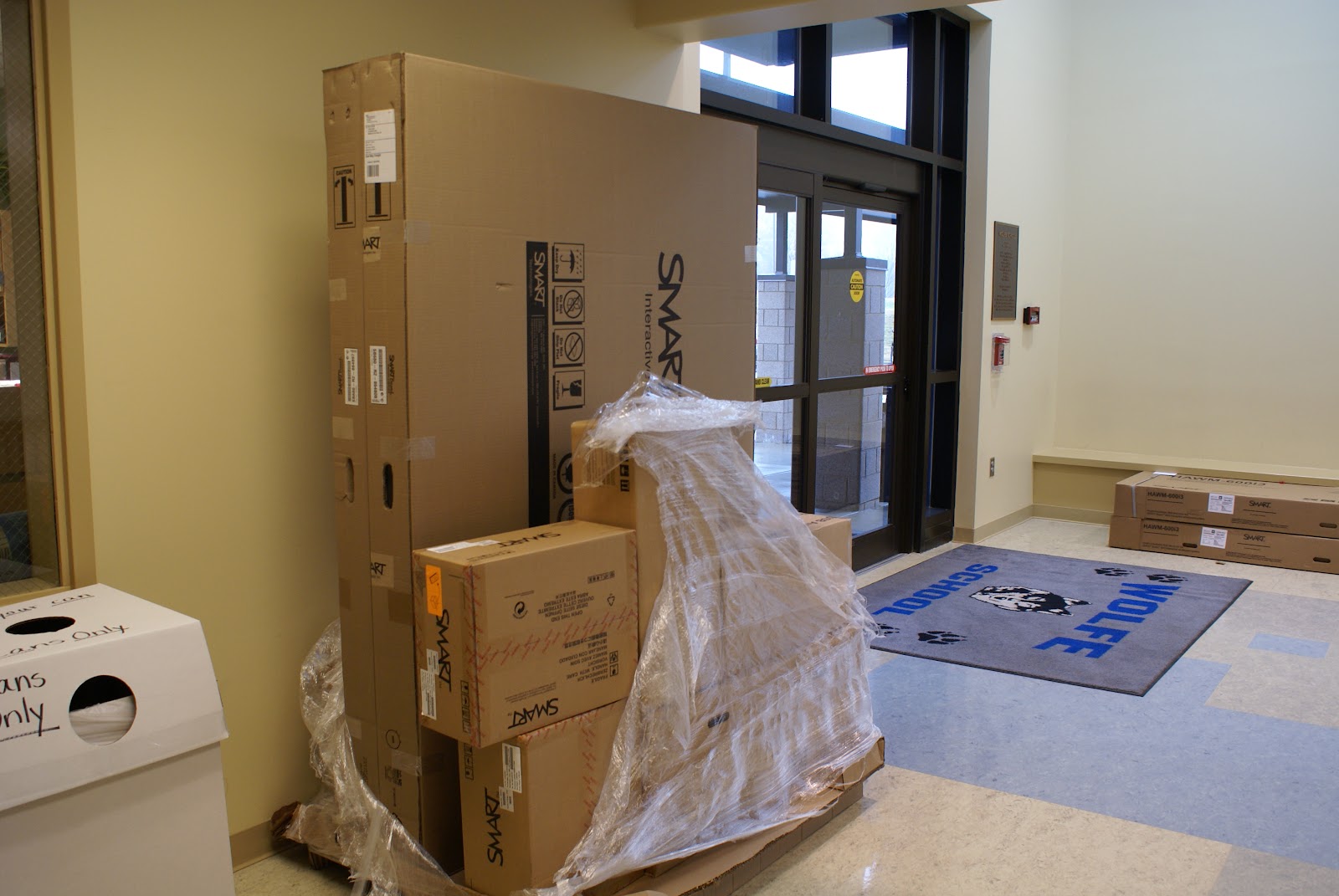
    New School Year, New SMARTBoard: I'd like am excited about the upcoming school year because my "home" school, Wolfe, a program that serves mostly teens and young adults up to age 22 who have more severe disabilities (including autism), now has an interactive whiteboard in every classroom.

    School started for Wolfe students on July 26th, and three more whiteboards were installed.  One of the new SMARTboards is in the speech and language room, along with a multi-touch SMARTTable the school received last April, one is in the Art/Work Adjustment room, and one is in the room I use with small groups of students, which is used for music one day a week.


    Although I have used interactive whiteboards in my work with students for several years, this is the first year that I have had one available to me most of the time in a school. Since most of the teachers received their IWBs over the past year, there is a pressing need to figure out what works, why it works, and how to create useful interactive content that is appropriate for the needs of students who have severe or multiple disabilities. We really can't wait.  

    Why is this important to me?

    Observations of positive changes:
    Students who previously had limited interest in applications on the computer, or a limited attention span for such activities, demonstrate a high degree of interest and engagement with the activities on the IWBs we've tried so far.  Many students who do not attend to learning materials, or only for brief periods of time, actively look at the IWB screen and even interacting with it, and smile.   Some students who rarely-or never- speak sometimes vocalize more often during IWB activities!   Some are making connections between learning materials and what they interact with on the screen, something that simply did not happen previously.  Some students who rarely established eye contact with others or demonstrated joint attention do so during IWB activities, something I discussed in a post on the TechPsych blog.

    Technology and my role as a school psychologist:
    Designing effective interventions is part of my job as a school psychologist, and mixing interactive whiteboards and interventions is fairly uncharted territory.  I know that there are probably a few other school psychologists, counselors, social workers, and speech/language therapists out there who are wondering what to make of this technology and the students they serve directly, or indirectly through consultation.  There isn't much literature about this topic, so it is difficult to know what is truly "evidence based".

    We are in the process of discovery. Within a school that has an IWB in every classroom, serving students with the most complex needs within the school district,  how can I best follow professional school psychology practices(pdf) regarding the provision of direct and indirect services. Some of these expectations are listed below:

    "School psychologists promote the development and maintenance of learning environments that support resilience and academic growth, promote high rates of academic engaged time, and reduce negative influences on learning and behavior."

    "School psychologists use information and assistive technology resources to enhance students’ cognitive and academic skills."

    "School psychologists work with other school personnel to develop, implement, and evaluate effective interventions for increasing the amount of time students are engaged in learning."

    "School psychologists facilitate design and delivery of curricula to help students develop effective behaviors, such as self-regulation and self-monitoring, planning/ organization, empathy, and healthy decision-making."

    Working towards solutions:
    I work closely with my colleague Kelly Cross, a speech and language therapist who serves Wolfe school and two classrooms of students with severe autism at a "regular" elementary school. Kelly also serves as the assistive technology and augmentative communication consultant for our school district.  She's used interactive applications and web resources for many years along with more traditional "hands-on" materials,  but like me, has had limited access to IWB's until recently.  She now has a SMARTboard in her room, along with the portable multi-touch SMARTTable Wolfe received last April.  We work with many of the same students, so with the influx of IWBs in our school, we've stepped up our collaboration.

    One of Kelly's challenges is to figure out ways for teachers to integrate assistive technology and/or augmentative communication systems into their work with students during activities that involve interactive whiteboards.   Most of the research the area of assistive technology/aug com focuses on the use of technology to access applications as they are displayed on laptops or computer monitors, or factors related to the use of individual communication devices. The vSked project, led by Dr. Gillian Hayes at the University of California at Irvine, is on the right track in that it incorporates the use of a large interactive display that was used with students with autism, along with smaller hand-held communication systems, which I've discussed in a previous post.


    vSked_1 575x320
    vSKED in action

    Workshop Presentation
    This past week, Kelly and I presented at a workshop held in the Arlington VA school district that focused on the use of interactive whiteboards and related applications and web resources with students with special needs.  We shared some of the exciting things we've noticed with our students and shared "before and after" examples.  Included in the presentation were some of the video clips I quickly put together during the first days of school that had an impressive positive impact with students when they were used during interactive whiteboard activities. (Some of these video clips can be found in a previous post: Video clips that help students with autism learn and feel calm at the same time!)

    During the workshop, we discussed a few guiding principals, such as the "least dangerous assumption" and the concept of Universal Design for Learning.   We also provided a sampling of resources previously used on the "small screen" appear to powerful when used with students interacting on the larger whiteboard screens.  Below are a few of the resources we shared:

    Clicker5 is an application to support reading and writing that provides a natural voice output, and child-friendly word processor. It works well on interactive whitboards It can incorporate several communication symbol systems. It is a good tool for informal assessment with students with communication and other related needs.


    Sensory World provides an intuitive navigation system for students to use as they explore various areas of a house and engage in learning and related activities. The site map for all of the areas of the house, as well as the activities, is graphical.


    We shared resources from the National Gallery of Art's Kids Zone, a great website that offers plenty of interactive content:


    Teachers who want a limited browsing environment for their students the Zac Browser is great for use on IWBs and the new large all-in-one touch screen displays:
    Zac Browser

    Another website that is good for visual-based browsing is Symbol World:

    "The intention is that symbol readers, teachers and carers will contribute, and we are delighted at the number of contributors that have already sent us their work"

    We shared a recent find, Taptu rthat can be used on an IWB.  Although Taptu focuses on the mobile touchable web, accessed through smartphones with internet access, it provides links to a wide range of websites designed with intuitive touch interaction in mind, perfect for students with special needs.  In many cases, Taptu web navigation resources work fine on the larger screen of the IWB.  The advantage is that a icon/visual based touch navigation system supports students who can't type and also those who have very limited reading skills.


    Sports Navigation for Taptu

    Below is a slideshow about the touchable web:
    Taptu: Virtual Roundtable


    Update: SMARTTable
    At Wolfe, we'd like to create a conversation wheel with related activities for the SMARTTable that co-ordinate with SMARTBoard activities.  We'll probably experiment with the conversation wheel concept on the SMARTboard first.


    Considerations:
    One thing we've learned over the past few months is that it is bit more complicated to create content and activities for the SMARTTable than for the SMARTBoard notebook or Promethean flipchart.   We hope to have it customized to support scaffolded, customized classroom activities for students with special needs, but it might take more time than we had anticipated.  The school's immediate need is for touchable interactive content for all of the classroom IWB's, suitable for our students.

    Complications:
    Programming for the SMARTTable, for those who have 64-bit computers, requires Windows 7, Visual Studio 2008, and Expression Blend 3.   My HP Touchsmart, my home computer, is 64 bit, but runs Vista.  My school-issued laptop runs Windows XP and is also 64-bit.  To upgrade it, I will have to send it to the tech department for several weeks.   It will be slow-going, since I have to plan for my day-to-day activities and evaluations with students first.

    Possible SMARTTable Solutions:
    I'm hoping that some students from UNC-Charlotte might want to try their hand at multi-touch programming and help us out!  We'd welcome volunteers from other universities as well.   Wolfe's principal, Mary Jo Breckenridge, is very supportive of the use of innovative technologies with students with special needs, and would figure out a way to make a collaboration happen.


    Upcoming Interactive Multimedia Technology Posts
    I have about 6 posts in draft form about interesting interactive technologies, research, people, and companies involved with multi-touch, interactive multimedia, and natural user interface/interaction applications. I'll get them up as soon as possible.

    One post is about 3M Touch Systems. Another is about an interesting multi-touch start-up company, Osmosis.  I revisited Ballantyne Village to update the use of interactive touch screen technology, something I discussed in detail, along with photos and video clips, in a 2008 post, Technology Supported Shopping and Entertainment User Experience at Ballantyne Village:  "A" for concept, "D" for touch-screen usability".   I got some inside scoop about the rationale behind the changes at the upscale center from a seasoned owner of a high-end audio-visual store I interviewed about 3D TV.   I have some interesting information about current research in "glasses-less" 3D displays. Sharp will be coming out with a 3D cell-phone camera AND glasses-less cell-phone display in the not-to-distant future.  

    I'm been preparing for posts that highlight a few of my favorite blogs. Until then, take a look at the recent posts on Tracy Boyer's Innovative Interactivity blog, and also InteractiveTV Today.

    RELATED & SOMEWHAT RELATED
    "The AAC-RERC conducts a comprehensive program of research, development, training, and dissemination activities that address the NIDRR priorities and seek to improve technologies for individuals who rely on augmentative and alternative communication (AAC) technologies. The mission of the AAC-RERC is to assist people who rely on augmentative and alternative communication to achieve their goals by advancing and promoting AAC technologies and supporting the individuals who use, manufacture, and recommend them."


    Janet Light, Kathy Drager, Penn State University


    Jeff Higginbotham's Bibliography:  Viewing AAC Through Authentic Social Interactions (pdf)

    ProLoquo2Go (iPhone/iPod Touch/iPad communication system)


    Also posted on the TechPsych blog